Accountants: Stop Chasing Paperwork—Five Ways AI Can Help
By David Brown ·
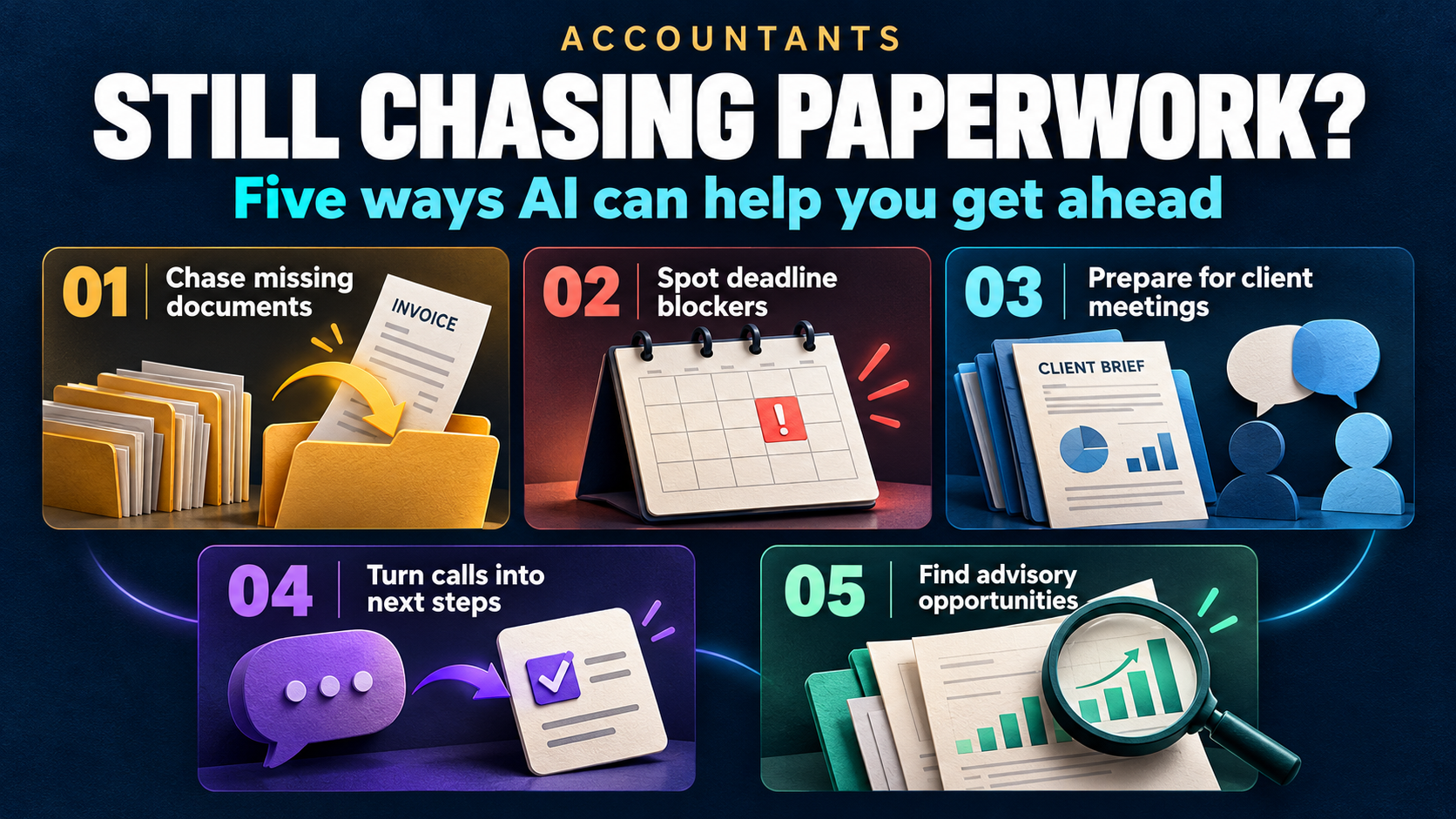
Still waiting for the documents you requested last week?
Discover how AI can help you chase missing information, spot deadline blockers, prepare for client meetings and turn conversations into clear next steps—while you stay in control.
How much of your accounting day disappears before you reach the work clients pay for? A missing statement needs chasing, another client’s deadline needs checking and the next meeting requires a search through old notes. Multiply those interruptions across several businesses, and your time gets consumed by keeping the work organized.
For fractional accountants, independent accountants and small accounting practices, AI can help reduce that repeated effort. Here are five practical ways to reclaim capacity, with before-and-after examples and a clear boundary around your professional judgment. The supporting research covers broader accounting populations, rather than fractional accountants alone.

1. Spend less time chasing missing client documents
The monthly close is waiting on information the client has not supplied. A bank statement is missing, an invoice needs clarification or a payroll report arrived in a different email thread. Before you can complete the accounting work, you have to establish what has arrived and ask again for the rest.
Financial Cents’ 2025 State of Accounting Workflow and Automation report identified obtaining client documents as respondents’ biggest workflow issue. Its vendor-led survey covered 816 accounting, bookkeeping and tax firm owners and administrators, primarily in North America.
Before: You check inboxes, compare attachments with a checklist and write another request. The client replies with some of the information, and the checking starts again.
After, with a configured AI-assisted workflow: A client-specific checklist tracks requested and received items, while scheduled automation sends targeted reminders. AI can help classify incoming material and draft a request for the outstanding information; you review uncertain matches and exceptions.
Time you could reclaim: Repeated inbox searches and routine chase emails. You still confirm that documents cover the right period and contain what the engagement requires; receipt alone does not establish completeness.
2. Find the deadline blocker without a round of status checks
A due date tells you when work must finish, not whether it can finish. Client A is awaiting approval, Client B needs a reconciliation reviewed and Client C has not supplied supporting information. A calendar alone cannot explain which engagement needs your attention first.
The AICPA’s 2026 CPA Firm Top Issues Survey highlights workload, workflow and technology integration among concerns that vary by firm size. Managing technology and AI change ranked first for expected impact over the next five years across all six firm-size groups.
Before: You open individual client files and ask colleagues for updates to determine what is blocked. An approaching deadline may be obvious while its dependency remains hidden.
After: A connected engagement view shows the deadline, work stage, missing input and action owner. Rules can flag overdue dependencies, while AI summarizes recorded blockers for your daily review.
Time you could reclaim: Opening each client file or messaging colleagues just to establish what is stuck. You still set and verify the obligations, while the system organizes approved deadlines, dependencies and responsibilities.
3. Prepare for client meetings without rebuilding the whole story
Switching clients means switching financial histories, assumptions and people. One owner is concerned about cash availability; another wants an explanation for a margin change. Knowing the latest balance is only part of being ready to advise them.
Thomson Reuters’ 2026 AI in Professional Services Report lists document summarization and document review among leading uses reported by tax and accounting professionals using generative AI. These are reported applications, not proof that an AI summary is complete or correct.
Before: You search the previous meeting notes, correspondence and financial reports to reconstruct the client’s situation. You may find the decision without finding why it was made.
After: An AI-prepared client briefing draws from authorized records and links back to the supporting material. It brings together recent discussions, unresolved questions, agreed assumptions and upcoming decisions.
Time you could reclaim: Searching for the last discussion and reconstructing why a decision was made. Preserve who agreed, the evidence and the review trigger alongside each decision, then check the briefing’s material assumptions. Keep each client’s permissions and records separate.
4. Turn client calls into actions without rewriting the meeting
A meeting can feel productive while leaving important actions unassigned. The owner promises supporting information, you agree to investigate a variance and someone needs to confirm an assumption. Unless those commitments become specific tasks, they remain another thing to remember.
Before: You write up the call later, copy actions into a task list and hope that everyone understood their responsibility. The same unresolved issue appears at the next meeting.
After: With the required permissions, AI can summarize a recorded discussion and propose actions with owners and dates. You confirm the details before tasks or client messages are issued, then use completion status to prepare the next conversation.
Time you could reclaim: Writing up conversations and manually transferring commitments into tasks. The AICPA and CPA.com 2025 AI in Accounting Report emphasizes human verification and embedding AI within existing processes. You still confirm what was agreed, who owns it and when it is due.
5. Bring advisory questions forward before urgent work takes over
The client issue worth discussing is rarely the loudest item in your inbox. You may notice a question about receivables, a recurring cash-pressure pattern or an assumption that deserves revisiting. When the immediate workload takes over, the discussion stays on your mental list.
Intuit’s 2025 QuickBooks Accountant Technology research surveyed 700 U.S. accounting professionals. It found that 94% expected increased strategic advisory work to boost firm revenue—an expectation, rather than evidence that adopting AI automatically grows a practice.
Before: Potential advisory topics stay in separate notes until the next convenient meeting. There is no clear owner or date for raising them.
After: Reviewed observations become a client-specific advisory agenda with a follow-up date. Where connected financial data is reliable, AI can help summarize changes and draft questions for you to investigate.
Time you could reclaim: Reopening old notes to rediscover the issues you meant to discuss. You still decide whether a pattern is meaningful, what analysis is needed and whether the discussion falls within the engagement’s scope. AI can prepare the agenda; your judgment makes the conversation useful.
Before and after AI-assisted accounting workflows
These are illustrative workflow designs, not measured results from a named practice. They assume the relevant integrations, permissions and client records are in place. Ordinary automation handles repeatable rules; AI helps interpret, summarize and draft.
| Accounting workflow | Before | After, with the right setup |
| Client document collection | Search attachments and repeat requests | Track outstanding items and review targeted reminders |
| Deadline management | Check dates and investigate status separately | See dates alongside blockers, owners and work stages |
| Client meeting preparation | Reconstruct history from several records | Review a briefing linked to supporting information |
| Meeting follow-through | Manually transfer notes into tasks | Confirm proposed actions, owners and dates |
| Advisory services | Keep observations in scattered notes | Maintain a reviewed agenda and scheduled follow-up |
Decide what you want your time back for
Choose a problem you can observe and measure. For example, track the effort spent chasing missing information across a defined set of monthly engagements. Compare the same work after introducing a checklist, reminders and AI-assisted summaries, including the time spent checking their output.
Measure effort: How much manual checking and chasing remains?
Measure clarity: Can you see the blocker and next owner?
Measure follow-through: Are agreed actions completed when expected?
Measure quality: How often do summaries or classifications need correction?
Recovered capacity needs a purpose. You might use it for deeper client analysis, a proactive advisory conversation, another engagement if capacity permits, or a working day that finishes earlier. Those are choices to make after measuring the improvement, rather than automatic results of adopting AI.
Your financial records remain authoritative, and your judgment remains essential. The practical opportunity is to reduce the checking, chasing and reconstruction around the work so more of your day is available for the work itself.
Fractional accountants: if you could spend less time chasing documents, checking deadlines and reconstructing client history, what would you do with that time instead?
#FractionalAccountant #Accountants #AIInAccounting #AccountingWorkflow #ClientAdvisoryServices